
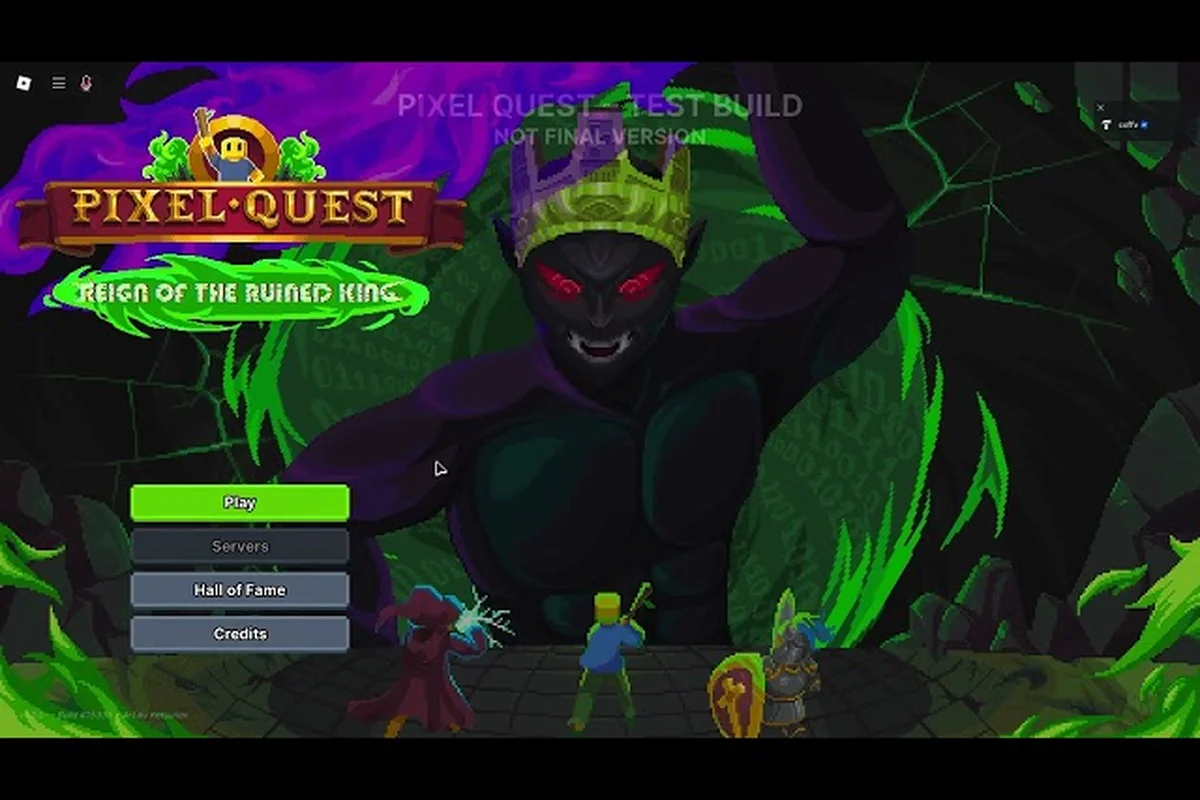
Redeeming codes in Pixel Quest is the fastest way to grab free infusions, dungeon keys, and exclusive skins, but the process confuses more players than it should because the game relies on slash commands rather than a traditional menu. This Pixel Quest codes tutorial walks you through every entry method, explains how the chat command system works, and shows you where to find fresh codes before they expire. By the time you finish reading, you will know exactly how to enter codes and which rewards are worth your time.
Understanding the Pixel Quest slash command codes system
The core of the Pixel Quest codes tutorial is the slash command interface, which the developer built directly into the in-game chat box. Instead of hunting through settings menus or typing codes into a website, you simply open chat and type /code followed by your code. The game parses the command instantly, validates it against the server, and drops the rewards into your inventory without requiring a reload or a trip back to the spawn area.
This design choice mirrors what many Roblox RPGs have adopted because it cuts down on UI clutter and lets the developer push new codes during live events without patching the client. The chat code guide below breaks down the exact syntax you need to type, because even a single misplaced space can cause the command to fail silently.
| Command Syntax | What It Does | Common Mistakes |
|---|---|---|
/code PQ | Redeems the base PQ code for starter rewards | Typing it in lowercase still works, but adding a space before PQ fails |
/code DESERTTREE | Grants 2 Speed Infusions + 2 Attack Infusions | Misspelling DESERTTREE as DESERTTREEE invalidates the code |
/code DUPEGANG | Gives 1 Easy Dungeon Key + 2 Defense Infusions | Forgetting the slash entirely sends it as regular chat |
/code LUCKYDAY | Triggers a mystery reward roll | The code is case-insensitive, so luckyday works fine |
/code PQDISCORD2025 | Unlocks the Wumbus Skin cosmetic | Only redeemable once per account, so double-check before confirming |
The slash command codes system also supports partial matching, which means the game will sometimes accept a code even if you type it slightly differently than the official announcement. Community reports suggest the developer implemented fuzzy matching to reduce frustration, but you should never rely on it because the tolerance window is narrow and changes between updates.
Why the chat box is the only redemption method
Pixel Quest does not have a dedicated code redemption menu, and that is a deliberate design decision rather than an oversight. The developer wants players to stay inside the game world, so the chat code guide approach keeps everything in one interface. When you type /code in chat, the game intercepts the message before it broadcasts to other players, which means your code never appears publicly in the server chat log.
This also means you can redeem codes while moving, fighting, or even mid-dungeon, because the command does not pause the game. The Pixel Quest how to enter codes process takes roughly three seconds from start to finish, which makes it significantly faster than games that force you to open a browser or navigate multiple menu layers.
Step-by-step Pixel Quest how to enter codes process
The Pixel Quest how to enter codes workflow is straightforward once you understand where the chat box lives and how the game interprets your input. New players often struggle because they expect a traditional redemption page, so this section walks through the entire process from opening chat to confirming your rewards landed correctly.
Opening the chat interface on any platform
On PC, press the / key or the Enter key to open the chat input field, depending on your keybind settings. Mobile players need to tap the chat icon in the top-left corner of the screen, which expands the input bar. The Pixel Quest slash command codes system works identically across both platforms, although mobile users should be careful with autocorrect because it can silently replace letters in your code.
| Platform | How to Open Chat | Input Method | Autocorrect Risk |
|---|---|---|---|
| PC | Press / or Enter | Physical keyboard | None |
| Mobile | Tap chat icon in top-left | On-screen keyboard | High — disable autocorrect |
| Tablet | Tap chat icon in top-left | On-screen keyboard | Medium — watch for substitutions |
Typing the command correctly
Once the chat input is open, type /code followed by a space and then the code exactly as it appears in the announcement. The Pixel Quest codes tutorial recommends copying codes from the official Discord or X posts rather than typing them from memory, because codes like PQDISCORD2025 are easy to transpose. After you press Enter, the game processes the command and displays a confirmation message in the chat log.
If the code is valid, you will see a green confirmation toast in the corner of your screen along with a list of the items you received. If the code is expired or invalid, the game shows a red error message that tells you the code does not exist or has already been used. The Pixel Quest how to enter codes process does not penalize you for failed attempts, so you can retry as many times as you want.
Verifying your rewards after redemption
After the confirmation message appears, open your inventory to verify that the items actually landed. Infusions appear in your consumables tab, dungeon keys show up in your key inventory, and skins unlock in the cosmetic menu. The Pixel Quest chat code guide suggests checking your inventory immediately because rare server lag can occasionally delay the reward delivery by a few seconds.
| Reward Type | Where to Find It | Visual Indicator |
|---|---|---|
| Speed Infusion | Consumables tab | Blue swirling icon |
| Attack Infusion | Consumables tab | Red flame icon |
| Defense Infusion | Consumables tab | Green shield icon |
| Dungeon Key | Key inventory | Golden key icon |
| Wumbus Skin | Cosmetic menu | Animated wumbus preview |
Where to find Pixel Quest daily codes and weekly codes
The Pixel Quest daily codes and Pixel Quest weekly codes drop through official channels, and knowing where to look is half the battle because the developer does not announce every code in-game. The primary distribution channel is the official Pixel Quest Discord, where the developer posts update notes, patch previews, and redemption codes in the announcements channel. Community moderators also pin active codes at the top of the channel so you can check the latest code without scrolling through hours of conversation.
The secondary channel is the official Pixel Quest X account, which mirrors the Discord announcements but often includes exclusive codes that never appear on Discord. According to community data, the developer tends to post Pixel Quest latest update code drops on weekends because that is when the weekly patch goes live. The game updates every weekend during the ALPHA stage, and each update typically ships with at least one fresh code.
Tracking expiration windows
Codes in Pixel Quest do not last forever, and the expiration window varies wildly depending on the code type. Some codes stay active for months, while others expire within 48 hours of the announcement. The Pixel Quest codes tutorial recommends checking the pinned messages in Discord before attempting any code, because the moderators update the expiration status whenever the developer confirms a code has been retired.
| Code Source | Typical Lifespan | Update Frequency | Best Checking Time |
|---|---|---|---|
| Discord announcements | 1-4 weeks | Weekly | Friday evening |
| X/Twitter posts | 2-7 days | Random | Within 24 hours of post |
| In-game events | 48-72 hours | Event-based | Immediately after event starts |
| YouTube community posts | 1-2 weeks | Monthly | After video uploads |
Setting up a reliable code tracking routine
Building a habit around code redemption ensures you never miss a Pixel Quest weekly codes drop. The most effective routine is checking Discord every Friday evening when the weekend update goes live, then checking X on Sunday night for any bonus codes the developer posts as a follow-up. You can also enable Discord notifications for the announcements channel so your phone buzzes the moment a new code drops.
The Pixel Quest latest update code often appears in the patch notes before it works in-game, because the developer announces the code alongside the update preview but activates it only after the server restart completes. If you try a code immediately after seeing the announcement and it fails, wait ten minutes and try again, because the activation lag is usually short.
Pixel Quest code rewards breakdown and value comparison
Not all codes are created equal, and understanding what each reward actually gives you helps you prioritize which codes to redeem first. The Pixel Quest codes tutorial breaks down the current reward pool so you know exactly what you are getting before you type the command. Infusions are consumable power-ups that grant temporary stat boosts, while dungeon keys unlock access to instanced content and skins are purely cosmetic.
| Code | Rewards | Estimated Value | Priority |
|---|---|---|---|
PQ | Starter bundle (mixed consumables) | Low | Redeem first |
DESERTTREE | 2 Speed Infusions + 2 Attack Infusions | Medium | High for early game |
DUPEGANG | 1 Easy Dungeon Key + 2 Defense Infusions | High | High for dungeon runners |
LUCKYDAY | Mystery reward (random roll) | Variable | Medium — gamble |
PQDISCORD2025 | Wumbus Skin | Cosmetic only | Low unless you want the skin |
The DUPEGANG code stands out because the Easy Dungeon Key alone is worth more than most other code rewards combined, especially if you are still progressing through the early game. Dungeon keys are normally earned through quests or purchased with Valor Tokens, so getting one for free saves you a significant amount of grinding. The defense infusion code angle matters here because the two Defense Infusions that come with the key give you a meaningful survivability boost for the dungeon run itself.
Which codes matter most for new players
If you just started playing, the priority order is PQ, then DESERTTREE, then DUPEGANG. The starter bundle from PQ gives you a baseline of consumables, while the Speed and Attack Infusions from DESERTTREE accelerate your early combat effectiveness. The Pixel Quest how to enter codes process is identical for all of them, so you can chain them back-to-back without any cooldown between redemptions.
For players who already have a solid gear setup, the LUCKYDAY mystery reward becomes more appealing because the gamble can pay out rare items that are otherwise difficult to obtain. Community reports indicate the mystery pool includes everything from common consumables to rare cosmetic items, so the expected value depends entirely on your current progression stage.
Troubleshooting common Pixel Quest code redemption issues
Even with a perfect Pixel Quest codes tutorial, you will eventually hit a redemption error, and knowing how to diagnose the problem saves you from frustration. The most common issue is typing the code incorrectly, which produces a generic "invalid code" error that does not tell you what went wrong. The Pixel Quest chat code guide recommends double-checking every character against the official announcement before assuming the code is dead.
| Error Message | Likely Cause | Fix |
|---|---|---|
| "Code not found" | Typo or expired code | Recheck characters, then try another code |
| "Code already used" | Redeemed on this account before | Codes are one-time per account |
| "Command not recognized" | Missing slash or extra space | Type /code exactly, then space, then code |
| "Server error" | Server lag or maintenance | Wait 5-10 minutes and retry |
| "Code inactive" | Announced but not yet activated | Wait for server restart, then retry |
Why your code might fail on mobile
Mobile players face a unique challenge because autocorrect and predictive text can silently alter code characters. The Pixel Quest slash command codes system is strict about matching, so a single substituted letter breaks the entire code. Disable autocorrect in your keyboard settings before opening the chat box, or switch to a keyboard app that does not interfere with typed input.
Another mobile-specific issue is the chat box closing unexpectedly when you tap outside the input field. This does not cancel the redemption, but it can make you think the command failed when it actually went through. Always check your inventory after a mobile redemption attempt, because the confirmation toast sometimes disappears before you notice it.
When to contact support about a broken code
If a code from an official announcement fails repeatedly and you have verified the spelling, the code may be region-locked or account-locked in a way the error message does not explain. The Pixel Quest codes tutorial suggests waiting 24 hours before contacting support, because the developer sometimes fixes broken codes silently during the next server restart. If the code still fails after that window, report it through the Discord support channel with a screenshot of the announcement and the error message.
Advanced tips for maximizing your Pixel Quest code farming
Once you master the basics of the Pixel Quest codes tutorial, you can start optimizing how you track and redeem codes to squeeze every drop of value from the system. The Pixel Quest latest update code drops follow a pattern that becomes predictable once you understand the developer's update rhythm, and you can use that pattern to your advantage.
Building a code redemption checklist
Create a checklist that tracks which codes you have redeemed and which ones are still active. The Pixel Quest how to enter codes process is fast, but remembering which codes you already used becomes harder as the list grows. A simple spreadsheet or notes app entry works fine, and the Pixel Quest chat code guide recommends updating it immediately after each redemption rather than relying on memory.
| Checklist Item | Why It Matters | Update Frequency |
|---|---|---|
| Code name and source | Tracks where you found it | Every new code |
| Redemption date | Helps estimate expiration | Every redemption |
| Rewards received | Prevents duplicate farming | Every redemption |
| Expiration status | Flags codes to prioritize | Weekly |
Timing your redemptions for maximum value
Some rewards are more valuable at specific progression stages, so consider holding certain codes until you actually need the items. The Pixel Quest daily codes that grant dungeon keys are best saved until you have a full party ready to run dungeons, because the key expires only if you never use it. Infusions, on the other hand, are consumables that provide immediate combat benefits, so redeeming those early gives you a smoother leveling curve.
The Pixel Quest weekly codes that drop on weekends often align with the weekly quest reset, which means you can stack the code rewards with your quest completion bonuses for a significant power spike. Check the Pixel Quest quest guide to see which quests reset weekly and plan your code redemptions around those resets.
Avoiding common code farming mistakes
The biggest mistake players make is hoarding codes for too long, because the expiration windows are unpredictable and a code that works today might be dead tomorrow. The Pixel Quest codes tutorial recommends redeeming every code as soon as you see it, even if you do not need the rewards immediately. The only exception is dungeon keys, which you should redeem only when you are ready to run a dungeon, because the key itself does not expire but the code that grants it does.
Another common mistake is ignoring the official Discord and X channels because you assume codes will appear elsewhere. The Pixel Quest latest update code is almost always exclusive to these channels, and third-party code aggregators often lag behind or miss codes entirely. Bookmark the official Pixel Quest Discord and check it at least twice a week to stay current.
Frequently Asked Questions
What is the fastest way to redeem codes in Pixel Quest?
Open the chat box by pressing / on PC or tapping the chat icon on mobile, then type /code followed by a space and the code. Press Enter to confirm, and the rewards appear in your inventory immediately. The entire process takes about three seconds once you know the command syntax.
Do Pixel Quest codes expire?
Yes, every code has an expiration window that varies from 48 hours to several weeks depending on the code type. The developer does not announce expiration dates in advance, so you should redeem codes as soon as you find them. Check the pinned messages in the official Discord for the most up-to-date expiration information.
Can I redeem the same code twice?
No, each code can be redeemed only once per account. The game tracks redemptions server-side, so even if you try the code again on a different character, it will fail with a "code already used" error. This applies to all codes, including mystery rewards and cosmetic unlocks.
Why does my code say invalid when I just copied it?
The code may have expired, or you may have copied an extra space or character. The Pixel Quest slash command codes system is strict about matching, so verify the code against the official announcement and try again. If it still fails, the code may not be activated yet, so wait for the server restart and retry.
Where can I find new Pixel Quest codes?
The official Discord and X accounts are the only reliable sources for new codes. The developer posts codes in Discord announcements and on X during weekend updates, and community moderators pin active codes for easy access. Third-party sites often lag behind, so check the official channels first.